
Your signup form and your approval, on every storefront.
Replace the default BigCommerce account form with one you design, review every applicant before they can buy, and place them in the right customer group. Run a different form on each storefront when you grow.
Replace the default BigCommerce account form with one you design, and review every applicant before they can buy.
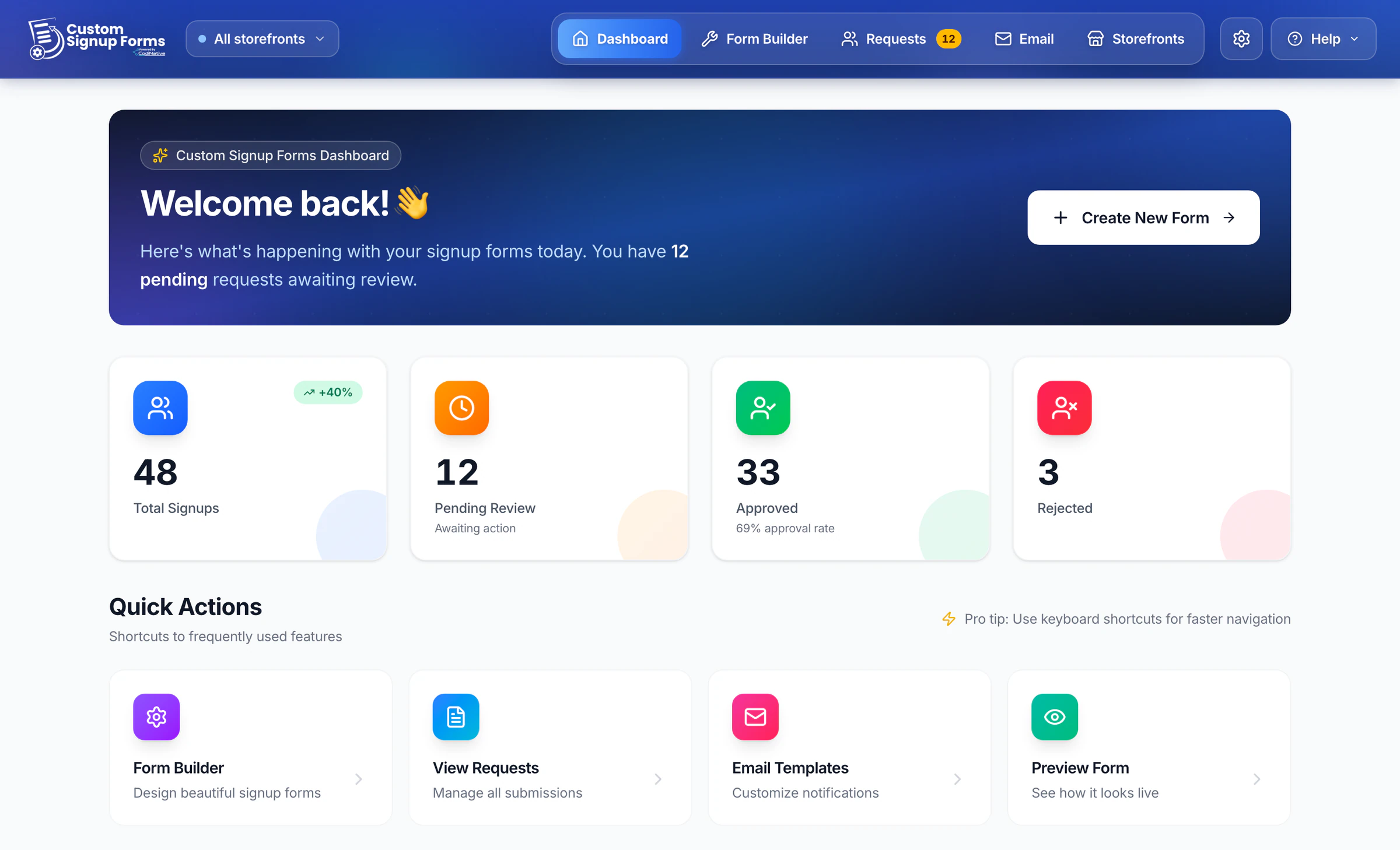
Used by BigCommerce stores like



Everything between "Create account" and a customer in the right group.
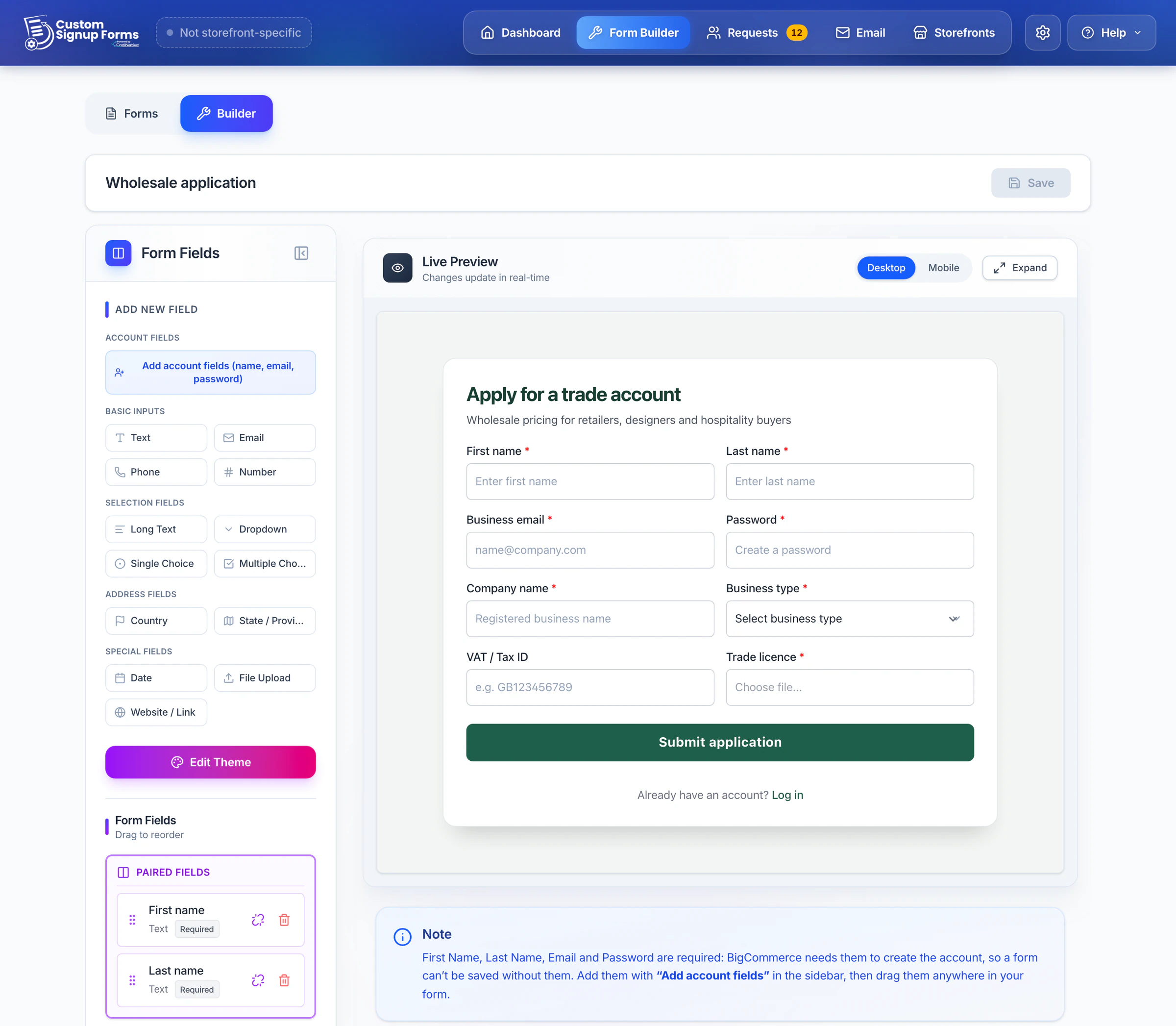
Design the form you need, not the one BigCommerce ships.Design the form you need.
Add each field with a click, reorder them and pair them into two columns, add headings and help text, and style it to match your store. Preview on desktop and mobile before it goes live.
Add each field with a click, set conditional logic, and preview on desktop and mobile.
File uploadsPaid plans
Applicants attach a trade licence, a tax certificate or any document you ask for - something BigCommerce's own signup form can't do.
- Text, email, phone, number, dropdown, single and multiple choice, date, website, country and state
- Conditional logic: show fields based on an answer
- An "Other" option with its own text box
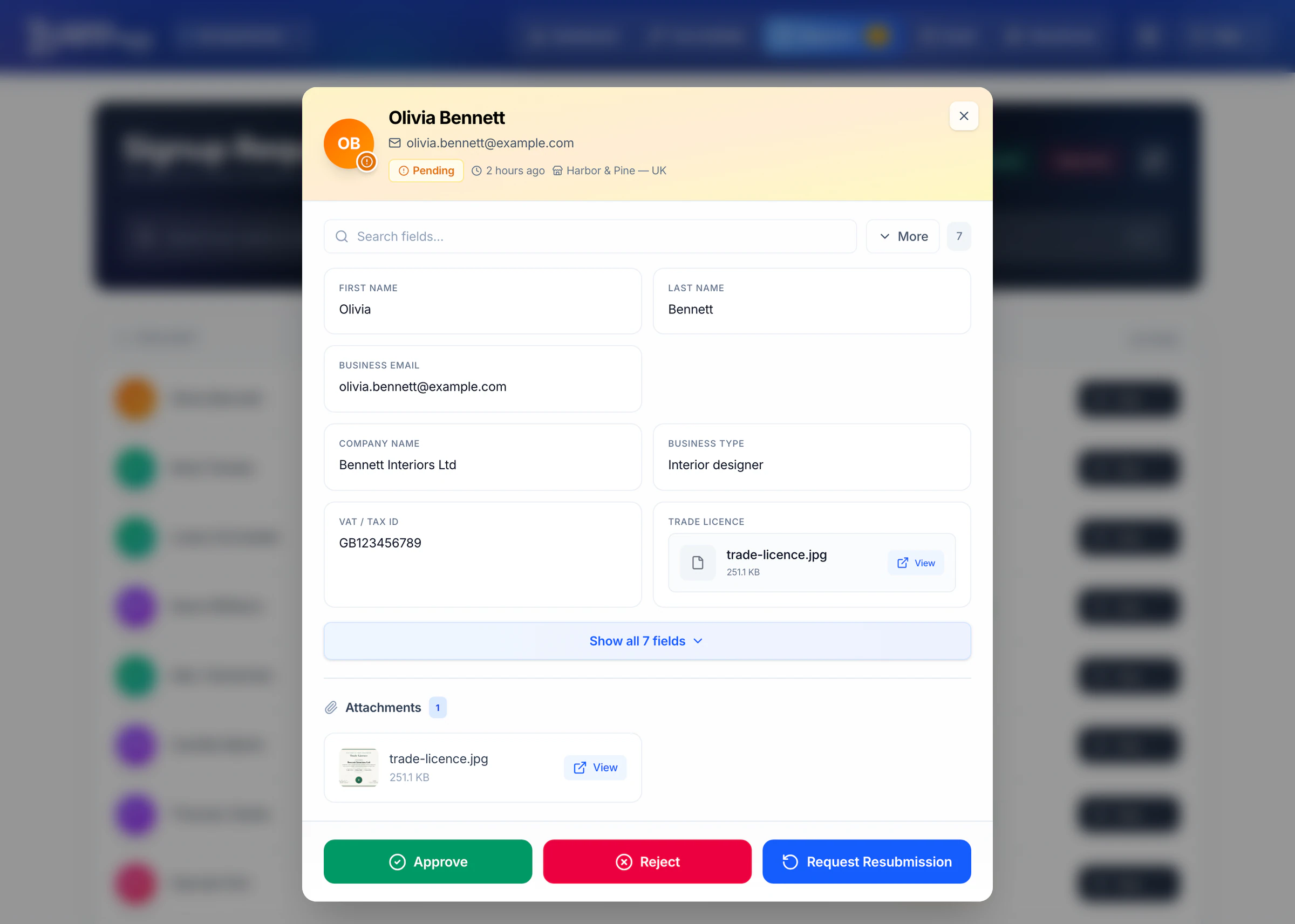
Nobody gets an account until you say so.
Every signup lands in a review queue with the full submission and any uploads. Approve to create the BigCommerce customer, reject, or ask for a resubmission.
Approve to create the BigCommerce customer in the right group, reject, or ask for a resubmission.
- Choose the customer group on approval, or set it automatically from an answer
- Cooldowns and duplicate protection stop repeat applications
- A badge in the app shows what is waiting
- Your team gets an email for every new request
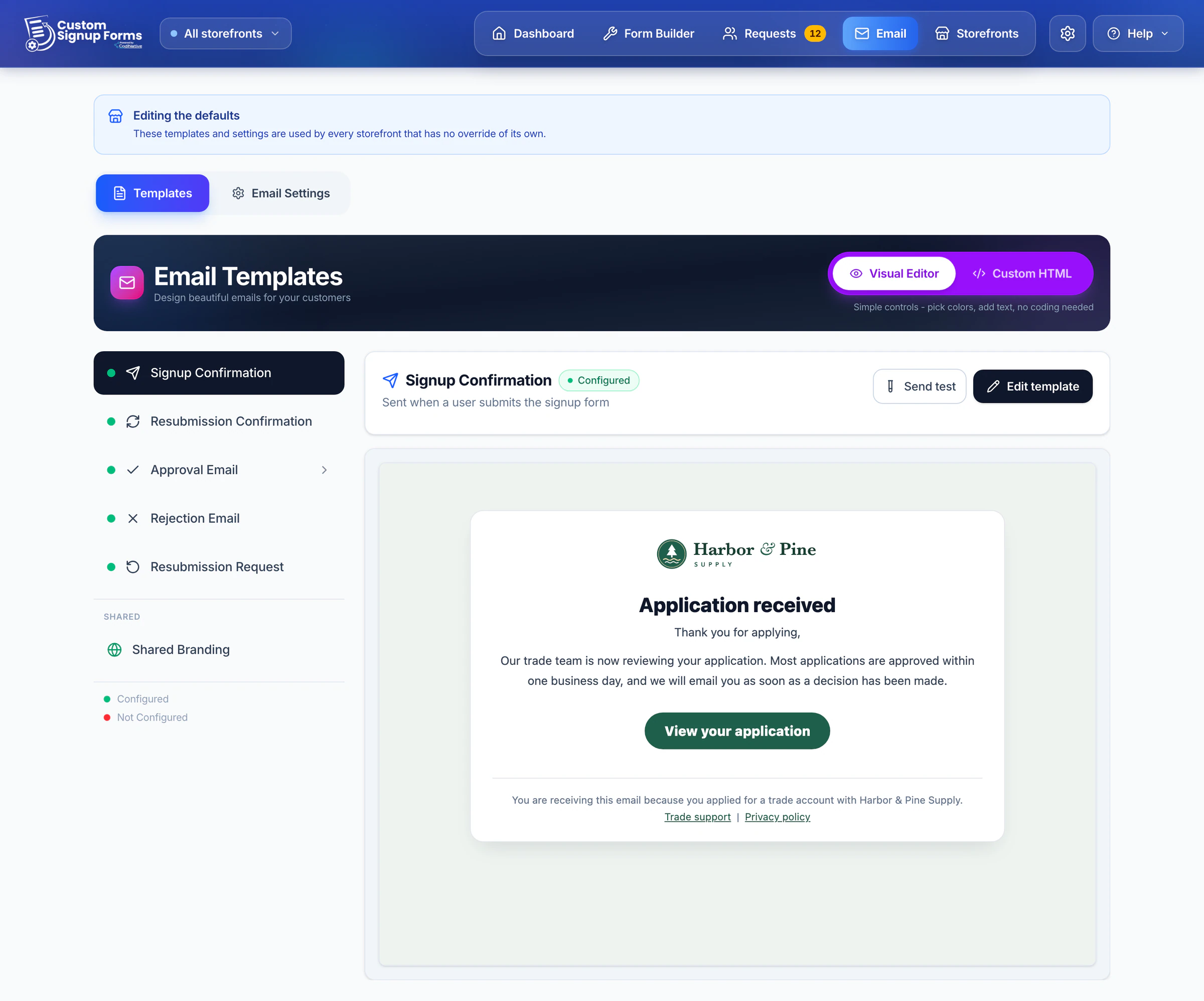
Branded emails for every step, sent from your own address.Branded emails, from your own address.
Confirmation, approval, rejection and resubmission emails with your logo and colours, in a visual editor or your own HTML. Send yourself a test first.
A different approval email per customer group or per answer, and an on/off switch for each.
- A different approval email per customer group
- A different email per form answer
- Switch any email on or off
- Sent through your own SMTP
One app for every storefront you run.One app for every storefront.
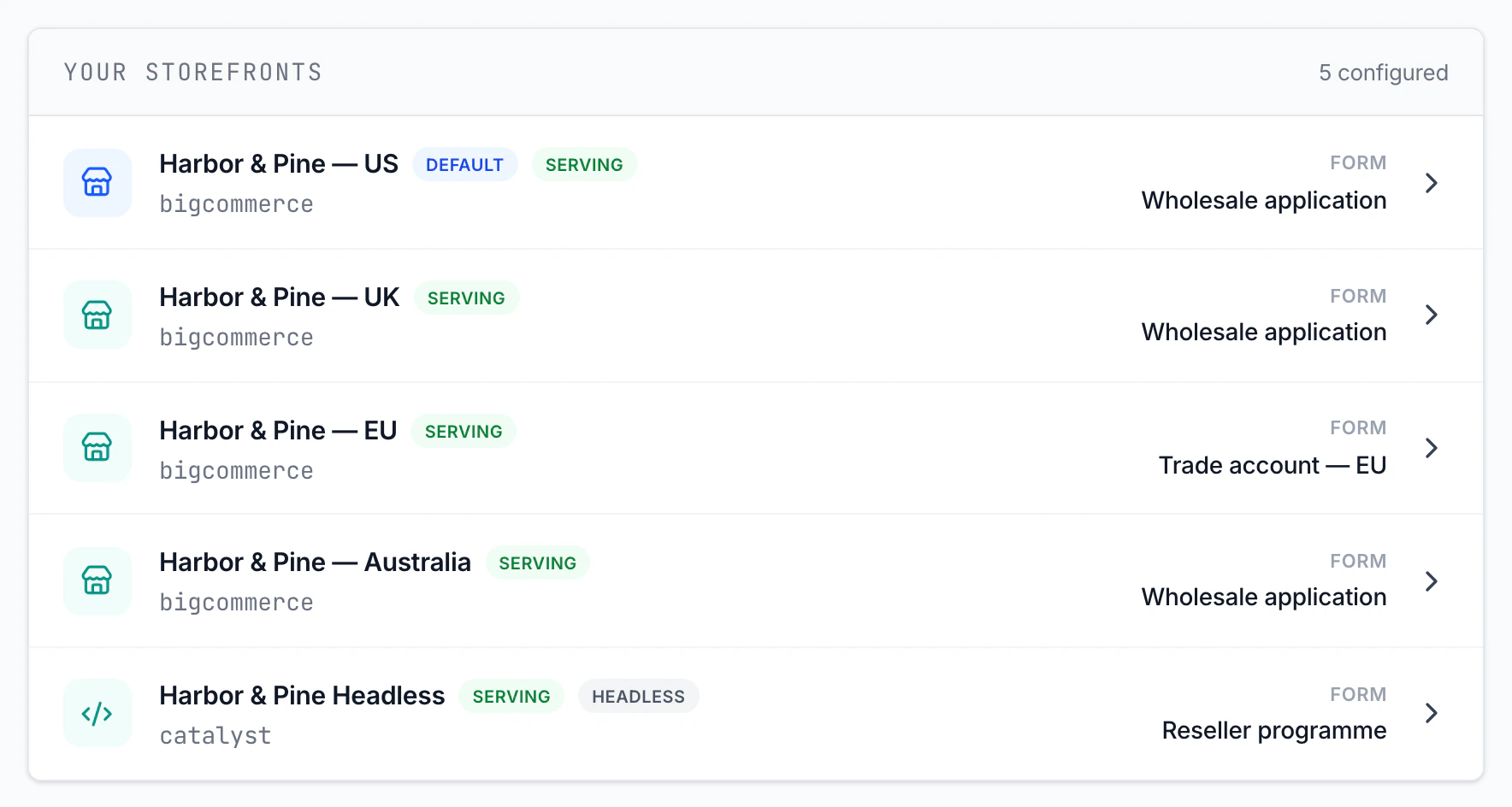
Serve a different signup form on each storefront, with its own emails and approval rules, and see which storefront every request came from.
A different form, emails and rules per storefront, plus an embed snippet for headless sites.
- A different form, email set, cooldown and group rules per storefront
- Everything you do not override follows your defaults
- Embed snippet for headless storefronts such as Catalyst, Next.js, Nuxt, React, Angular or any other web framework
- Filter the request queue by storefront
- API integration for headless storefronts that can't add a script Coming soon
Live in three steps.
No theme edits and no developer on a standard storefront. The default BigCommerce form comes back the moment you switch yours off.
Install from the marketplace
Start on the Free plan or pick a paid plan with a 7-day trial. No card needed for Free.
Build and switch on your form
Design it in the builder and activate it. The app adds it to your create-account page for you. Headless storefront (Pro and Enterprise)? Paste one script tag where the form should appear.
Review and approve
Approve to create the customer in BigCommerce and place them in a group. On paid plans, add your SMTP to email applicants.
Whenever "just sign up" isn't enough.
B2B and wholesale
Collect a trade licence and company details, vet the reseller, and approve them straight into your wholesale price group.
Members-only stores
Gate registration behind your approval so only people you have vetted can create an account and shop.
Several brands, one store
A retail storefront with a short form, a wholesale portal that asks for a tax ID, and a headless site - each with its own rules.
What merchants say.
Reviews from the BigCommerce App Marketplace, quoted word for word.
From the BigCommerce App Marketplace, word for word.
Finally, a signup form that fits an approval workflow
“We use it to review account applications before customers get access. Custom fields, file uploads, one-click approve or reject from the admin dashboard, and branded automated emails for every outcome. Built the whole thing in the visual builder with no code, and it reverts to the default signup in one click. Highly recommended.”
Essential for B2B signup approval
“Our trade signup now asks about business type, services offered, brands used, monthly roll usage and interest in our Approved Installer Programme, all built in the visual builder. Approvals, rejections and correction requests are handled from one dashboard with automatic emails for each outcome, and the cooldown keeps rejected applicants from applying again.”
Yes. The Free plan has no time limit and needs no card: build one form, collect up to 100 signups a month and approve them by hand. Paid plans add customer emails, customer groups, conditional logic, file uploads and more storefronts.
The app adds a small script to your storefront through BigCommerce's Script Manager, so there are no theme edits. On the create-account page, that script swaps BigCommerce's default form for the one you built. By default every submission then waits in the app as a request, and only the applicants you approve become BigCommerce customers - so only people you authorize can sign in and buy.
Yes. With multi-storefront, each storefront can serve its own form, with its own emails and approval rules, and anything you don't override follows your defaults. Multi-storefront is part of the Pro plan (up to 3 storefronts) and Enterprise (4 or more).
Only if you want them to. By default every submission becomes a request you review. When you approve it, the app creates the customer in BigCommerce and assigns your chosen customer group. You can also reject or ask for more information.
No. The app assigns a customer group only once - at the moment it creates the approved customer - and only if you pick a group on approval (it's optional). It never runs an ongoing sync or re-assigns groups afterwards, so it won't fight a connector that pushes group membership. If you want your ERP to be the single source of truth for groups, just leave the group unset on approval and let the connector handle it.
Upgrades apply and are charged immediately; downgrades take effect at the end of your billing period. Your default storefront always keeps serving. Extra storefronts beyond the new limit are switched off, and on Free one saved form stays usable while the rest are locked - never deleted - until you upgrade again.
Other apps for your BigCommerce store


Own your signup flow today.
Install free, build your form and approve your first customer in minutes.
Install free and approve your first customer in minutes.