Plans and Billing
Custom Signup Forms has four plans: Free, Standard, Pro and Enterprise. Here’s what each includes, how the trial and plan changes work, and what happens if a payment fails.
The plans
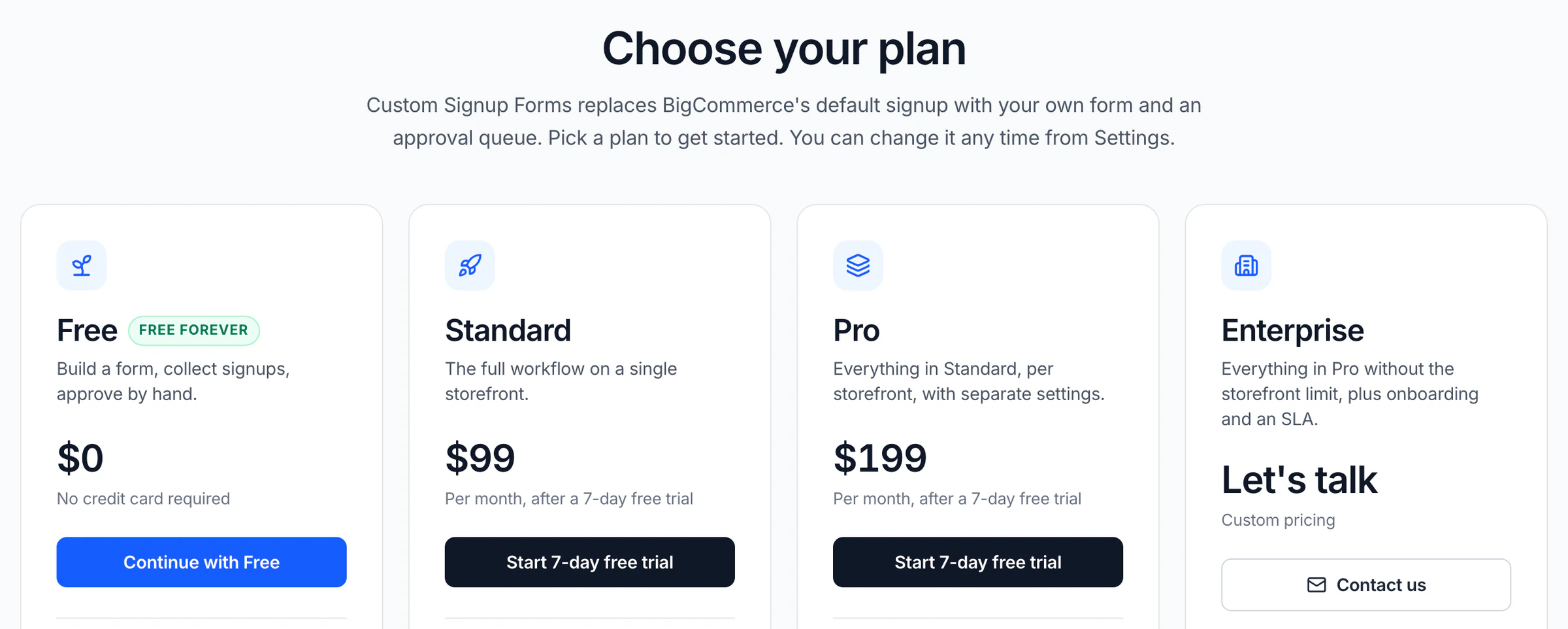
Every plan includes the visual form builder and the approval queue. Here’s what each one costs and allows:
- Free
- $0 · 1 storefront, 100 signups a month and 1 saved form. The rejection cooldown is fixed at 3 days, and the form shows a "Powered by" line.
- Standard
- $99 a month · 1 storefront with unlimited signups and saved forms, and a rejection cooldown you set from 1 to 365 days.
- Pro
- $199 a month · Everything in Standard on up to 3 storefronts serving at once, your default included.
- Enterprise
- Custom pricing · Everything in Pro on 4 or more storefronts, agreed with you, plus an onboarding call, priority support with an SLA, and invoicing and terms.
Standard and above add customer emails through your own SMTP, team notifications, customer groups, conditional logic, the "Other" choice, file uploads, and asking an applicant to resubmit. Pro and above add multi-storefront and the headless embed.
Prices are in US dollars and exclude tax; any tax due is added at checkout. There’s no setup fee on any plan. Compare every feature on the pricing page.
Free trial
Standard and Pro start with a 7-day free trial for new subscribers. You add a card at checkout, and nothing is charged until the trial ends. Cancel before then and you pay nothing.
If you’ve subscribed before, there’s no second trial: the plan is charged from the day you start. The Free plan needs no card, and an Enterprise trial is agreed with you.
Changing plans
When you first open the app, you pick a plan on the "Choose your plan" screen. Free takes you straight to the dashboard; Standard and Pro go to checkout.
To change it later, go to Settings → Subscription and click "Upgrade" (on Free) or "Change plan".
- Upgrade
- Applies right away, and you’re charged the difference for the rest of the billing period. During a trial nothing is charged and the trial continues.
- Downgrade
- Takes effect at the end of the billing period you’ve paid for, and you keep every feature until then. During a trial it applies right away and the trial continues.
- Move to Free
- Cancels the subscription at the end of the period. Your forms, requests and settings are kept.
- Enterprise
- Arranged with us by email at info@codinative.com. It can’t be changed from the app.
"Manage billing" in Settings → Subscription opens the secure billing portal, where you can update your card, see invoices and cancel.
Moving to a plan with fewer storefronts
Your default storefront keeps serving its form. Storefronts beyond the new plan’s limit are switched off when the change takes effect, and their forms and settings are kept for when you upgrade again.
Free plan limits
Free accepts 100 signups a month. The count runs per calendar month in UTC and resets on the 1st.
The Dashboard shows how many you’ve used. The bar turns amber at 80% and red at the cap.
At the cap, your form stops accepting signups until the 1st. Shoppers see "This store is not accepting new signups right now. Please contact the store owner." Upgrading removes the cap straight away.
Free can’t save a form that uses conditional logic, an "Other" choice or a file upload field. Remove them, or upgrade to keep them.
Free keeps one saved form usable. If you move to Free with more, the others are locked, not deleted, and you can use them again after upgrading.
If a payment fails
The app becomes read-only until the payment clears. Your signup form keeps showing on your storefront for 7 days, then it’s taken off.
A notice at the bottom right of the app gives you two ways out:
- "Clear payment" opens the billing portal, where you update your card.
- "Shift to Free plan" cancels the paid plan now and makes the app editable again. The unpaid invoice is voided.
If the form was taken off, clearing the payment brings it back at once. An open payment dispute also makes the app read-only, and plan changes are paused until it’s resolved.
Uninstalling
Uninstalling the app stops a paid plan from renewing. The subscription cancels at the end of the current period, and you get an email with the date it ends.