
Headless Storefronts
Put your signup form on a storefront BigCommerce doesn’t render, such as Catalyst, Next.js, Nuxt, React, Angular or any other web framework. Your developer adds an empty container and one script tag.
- 1Add the containerReplace your signup form with the empty div we provide.
- 2Load the scriptCopy your storefront’s snippet into the page.
- 3Switch it onTurn the storefront on in the app.
Before you start
Headless embeds are on the Pro and Enterprise plans, with multi-storefront turned on. See the Multi-storefront Guide.
They’re for storefront channels BigCommerce doesn’t render with Stencil, such as Catalyst, Next.js, Nuxt, React, Angular or any other web framework. On the Storefronts screen these are marked "Headless".
Add the container
On your signup page, replace your signup form with this empty container:
<div id="custom-signup-container"></div>Delete your own signup form. The app only fills the container and never touches the rest of the page, so if your old form is still there, shoppers see two signup forms.
The container must be empty: anything inside it is cleared when the form renders. Style it however you like; the form fills the width you give it.
Load the script
In the app, go to Storefronts and click your headless storefront. On its page, find the Embed snippet card and click Copy snippet under 2. Load this script on that page. It looks like this:
<script src="https://[app-domain]/custom-signup.min.js?pub=[store-id]&ch=[channel]&sig=[signature]" async></script>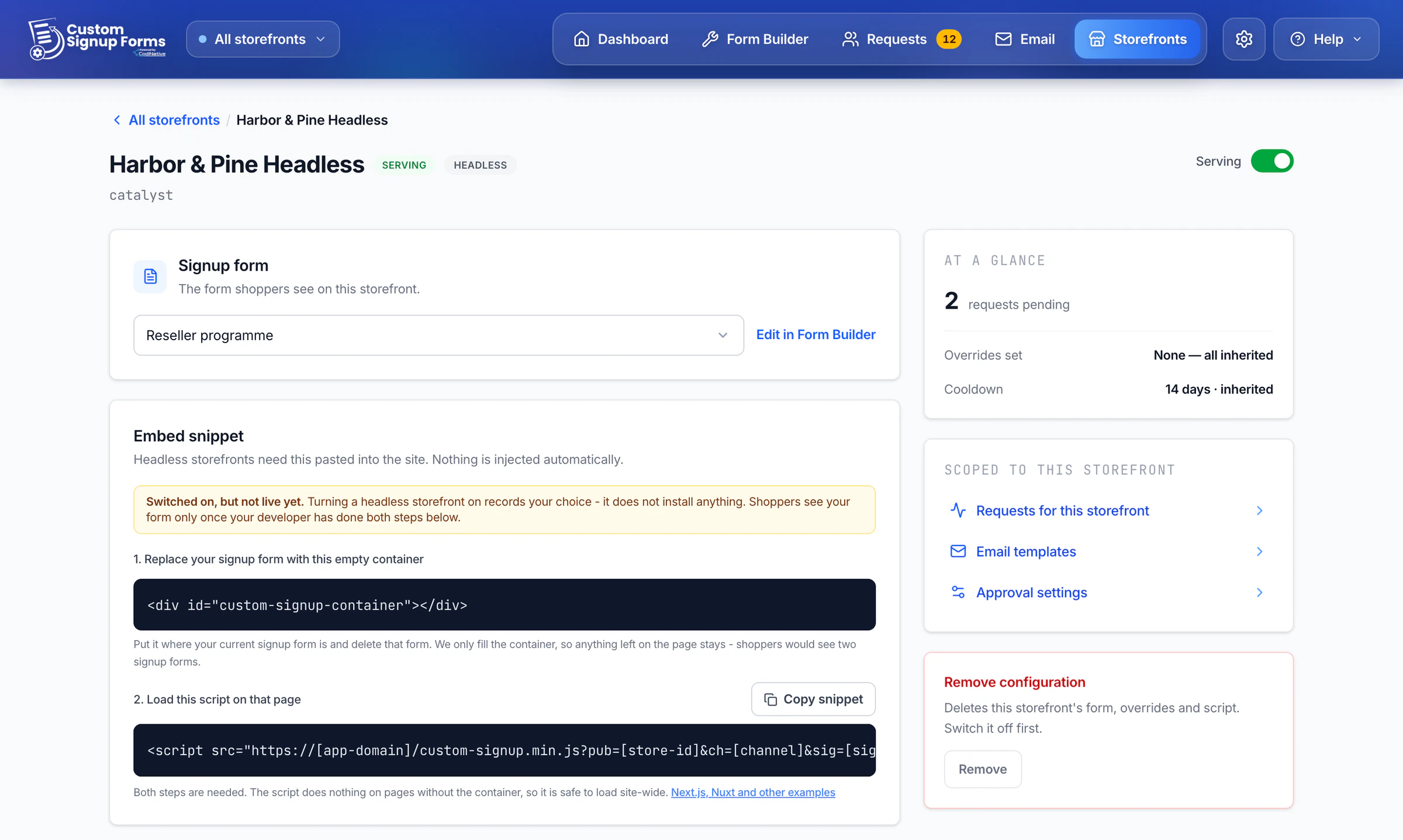
Use your own tag, not this example. It identifies your store and the storefront the form belongs to. The tag is the same everywhere; only the place it goes changes.
HTML
For any site whose <head> you control, such as WordPress, Drupal or a custom build, put the tag in the <head>. A React app built with Vite or Create React App belongs here too: the tag goes in index.html.
<!-- in <head> -->
<script src="https://[app-domain]/custom-signup.min.js?pub=[store-id]&ch=[channel]&sig=[signature]" async></script>
Next.js and Catalyst
Catalyst is built on Next.js. With the App Router, load the tag with next/script in app/layout.tsx; with the Pages Router, use pages/_app.tsx.
// app/layout.tsx
import Script from 'next/script'

export default function RootLayout({ children }) {
  return (
    <html>
      <body>
        {children}
        <Script src="https://[app-domain]/custom-signup.min.js?pub=[store-id]&ch=[channel]&sig=[signature]" strategy="afterInteractive" />
      </body>
    </html>
  )
}
Nuxt
Add the tag to app.head.script in nuxt.config.ts. To load it on one page only, call useHead() with the same script entry from that page.
// nuxt.config.ts
export default defineNuxtConfig({
  app: {
    head: {
      script: [{ src: 'https://[app-domain]/custom-signup.min.js?pub=[store-id]&ch=[channel]&sig=[signature]', async: true }],
    },
  },
})
Switch it on
Assign a form to the storefront and switch it on in Storefronts. For a headless storefront this only records your choice; nothing is installed.
The app reminds you with "Switched on, but not live yet." Shoppers see your form once both steps are done on your site.
Switching the storefront off stops the form on your site, even with the tag still in place.
How the script works
The script looks for the container. If it finds it, your form renders inside. If not, it stops straight away without loading anything else, so it’s safe to load on every page.
Single-page apps such as Catalyst, Next.js, Nuxt or Gatsby need nothing extra. The form renders when a shopper arrives at the signup page and clears when they leave, so coming back shows one form, not two.
For review: the production app domain behind [app-domain], and notes on Content Security Policy and cookie consent for this script.Native apps
The embed needs a web page with an element on it, so it can’t render inside a native mobile app. For native apps, kiosks or your own backend, an API integration is coming soon.